Home / Tools, tasks & formats / Copilot training courses / Copilot training for data and spreadsheet workflows Browse / 108 listings
Copilot training for data and spreadsheet workflows Compare training whose recorded offering mentions Copilot and data and spreadsheet workflows. PM-specific and broader workflow routes stay labeled. Check how the tool and task connect; a mention of both does not guarantee an integrated exercise.
Jump to matching courses ↓
Advertisement · Hello Aristotle
Hello
Personal AI learning
Considering Copilot for your work? Discuss your task, current tools and learning goals.
Learn to check AI's spreadsheet suggestions A plausible formula still needs checking. Bring a project-tracking spreadsheet task to Hello Aristotle and learn with an expert to explain the calculation, evaluate AI's suggestions and test the result on examples. Build habits you can reuse when the numbers or questions change.
01 / Your work Spreadsheet02 / Learn together Expert feedback03 / Practice again Reusable method
Choose training for this use Identify the product first: Microsoft 365, Excel, Power Automate and GitHub Copilot have different purposes and access requirements. A generic Copilot mention does not establish the application taught. Find courses covering spreadsheet tasks and data analysis. Confirm the software and licenses needed, and whether learners practice checking formulas, transformations and conclusions.
What these matches establish 3 PM-specific listings and 105 broader workflow listings meet this collection’s recorded criteria. A named tool may be one part of a wider course. Open a profile for curriculum, access and recorded source dates.
Membership requires an affirmative Copilot mention in the title, curriculum or tool facts. A listing here does not establish the depth of tool coverage, current software version or paid-plan access.
Browse tool, task and format collections →
Courses on this page Alphabetical order · 1–20 of 108
01 Broader workflows
Microsoft
Statistical analysis External-data organization Pivot visualizations Charts for communication Reporting findings Self-paced English
Details ↗ 02 Broader workflows
Sawan Kumar
Copilot and ChatGPT case studies repair a workbook, create a management report, analyze data and audit spreadsheet logic. Sales-file examples illustrate broader spreadsheet skills.
Self-paced English
Details ↗ 03 Broader workflows
Puneet Gogia
Copilot demonstrations generate formulas, analyze data, build pivot tables and insert charts in Excel.
Self-paced English
Details ↗ 04 Broader workflows
SkillsBooster Academy
Three-course SkillsBooster path combines AI business analysis, reporting/presentation design and Copilot data analysis with reusable workflows.
Self-paced English
Details ↗ 05 Broader workflows
Ventum Consulting
AI fundamentals and role change distinguish AI from macros, rules and RPA. Prompting for summaries, translations, email/letters/minutes/presentations/decision papers and output checking. Copilot across Outlook/Word/Excel/PowerPoint/Teams calendars, meeting transcription/actions, To Do, OneDrive/OneNote/Forms and Excel analysis. Research/management briefings, documents/knowledge bases, business travel, expenses, client communications, reports and recurring tasks. Build custom prompts, GPTs/Copilot agents and secure workflows confidentiality, company data and responsible use. Confirm format English or German
Details ↗ 06 Broader workflows
Microsoft
Use Excel, Copilot, Python and Power BI for data cleaning, analysis, visualizations/reports and business-insight workflows.
Confirm format Teaching language: confirm
Details ↗ 07 Broader workflows
SkillsBooster Academy
Configuring analysis inputs Data cleaning Natural-language exploration Visual dashboards Business decisions Self-paced English
Details ↗ 08 Broader workflows
Lesia Kalley / We Are Agentic
Build a role-specific assistant in ChatGPT/Claude/Gemini/Copilot; learn repeatable prompting, a Tone Guide for professional emails/proposals/presentations, metaprompting/output revision and workflow task mapping.
Confirm format Teaching language: confirm
Details ↗ 09 Broader workflows
SkillsBooster Academy
Generate a realistic monthly operations dataset in Excel Online Clean, format and structure data using Copilot prompts Analyze data and extract insights Create a repeatable report automation and Prompt Playbook Confirm format English
Details ↗ 10 Broader workflows
Datapath .
Use Copilot for Word and Excel outputs, with advanced RAG and agent material.
Self-paced Spanish
Details ↗ 11 Broader workflows
American Society of Administrative Professionals (ASAP)
The page describes specific Copilot operations inside Word, Excel, PowerPoint and Teams rather than only naming apps.
Self-paced Teaching language: confirm
Details ↗ 12 Broader workflows
Coursera
Gmail templates with compliance review Spreadsheet analysis and data safeguards Responsible external communication Self-paced English
Details ↗ 13 Broader workflows
David Millard
Practice role-based prompts, document and spreadsheet work, communication and integration concepts across ChatGPT and Microsoft365.
Self-paced English
Details ↗ 14 Broader workflows
cmt Training GmbH
Office-context prompting and output review Email/document summaries and replies Excel formulas and table preparation Personal workplace use-case workshop Live / instructor-led Teaching language: confirm
Details ↗ 15 Broader workflows
NobleProg
Iterative workplace prompts and management-report drafts Email and document summaries Excel analysis and project presentations SharePoint team workflow design Live / instructor-led Teaching language: confirm
Details ↗ 16 Broader workflows
Salil Dhawan
Structured prompts and evidence checks Meeting decisions, actions and due-date trackers Vendor comparisons and executive briefs Source-backed PDF, spreadsheet and document summaries Self-paced English
Details ↗ 17 Broader workflows
LinkedIn Learning / Eddie Davila
Use Copilot in Excel for statistical principles, analysis and advanced worked examples.
Self-paced Teaching language: confirm
Details ↗ 18 Broader workflows
The EA Campus (formerly Practically Perfect PA)
Copilot across Outlook, Teams, Word, Excel and PowerPoint: prompt writing, email/meeting summaries, document/data analysis and reports; separate session covers ChatGPT and Claude for inbox triage, meeting preparation, research, travel planning and professional communications.
Live / instructor-led Teaching language: confirm
Details ↗ 19 Broader workflows
Javier Héctor Comi Paricio
Course covers Microsoft Copilot team collaboration, automation and delegation; examples include meeting summaries, SharePoint/Excel workflows and dashboard creation.
Self-paced English
Details ↗ 20 Broader workflows
José Martínez Martínez
Use Copilot with Word and Excel, including pivot-table practice.
Self-paced Spanish
Details ↗ 1 2 3 6 Next → Jump to any collection page · 6 pages Courses are alphabetical by title. These page links cover this collection; use search above to find a particular course, provider or task.
Page 1 · courses 1–20 Advanced Data Analysis & Visualization with Copilot in Excel → Copilot en Microsoft 365 paso a paso Page 2 · courses 21–40 Copilot for all the ways you work → Excel for Business with AI: Essentials Page 3 · courses 41–60 Excel Pivot Tablo Eğitimi: A'dan Z'ye + Copilot ile Rapor → Microsoft 365 Copilot AI: Office Automation & Workflows Page 4 · courses 61–80 Microsoft 365 Copilot Essentials & Foundations for Beginners → Microsoft Copilot for Microsoft 365 Office Users Page 5 · courses 81–100 Microsoft Copilot for Project Managers - The Complete Guide → Professional Diploma in Executive Assistance for the AI Era Page 6 · courses 101–108 Professional MS Office With AI - ChatGpt, Gemini Copilot → Work smarter with Copilot across your Microsoft 365 apps A practice question to ask Analyze a small spreadsheet; inspect formulas, missing values and the conclusions drawn from it.
This is an editorial selection question, not a promise that every course includes the exercise.
Refine or broaden your comparison Compare this task across tools → · Read the related decision guide →
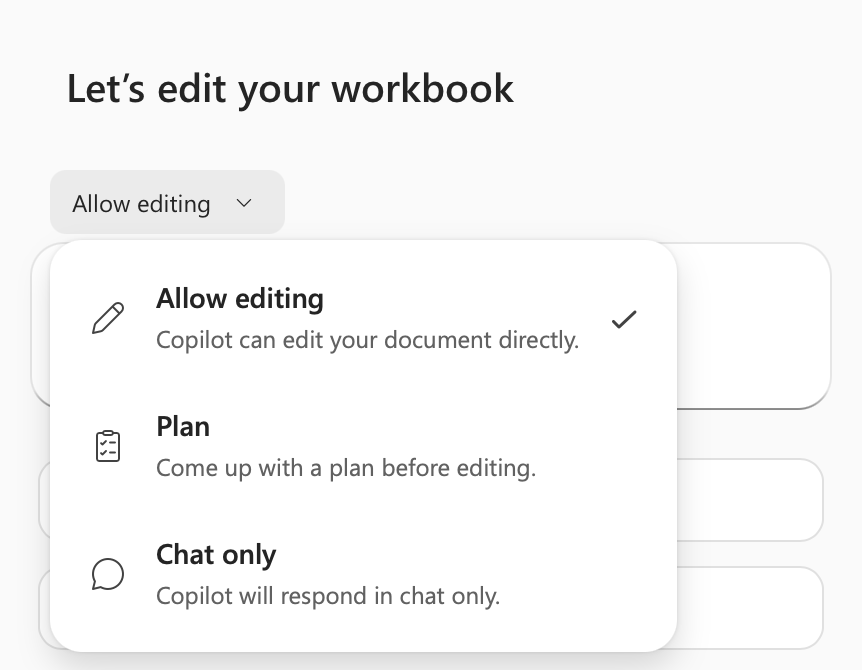
Product preview: Copilot in Excel’s mode menu. Check which modes your plan supports; this is not a course screenshot. Microsoft documentation ↗